Pomodoro Hourglass

Beautiful, Distraction-Free Pomodoro Timer for Windows

One thing. Done well. Start a session, stay in the zone, and let the timer handle the rest.

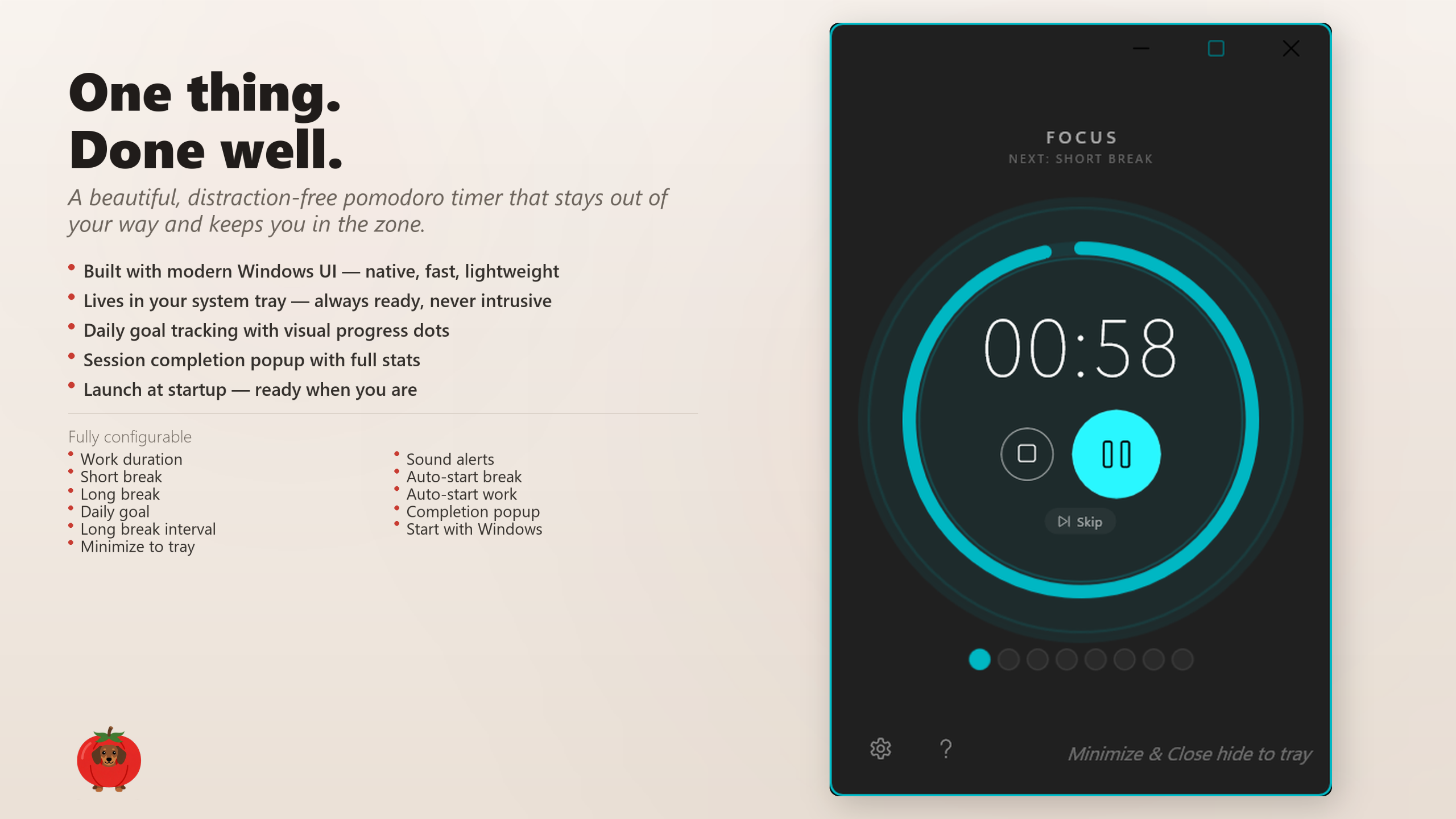
Pomodoro Hourglass — main timer interface

Focus is a superpower

Pomodoro Hourglass is a beautiful, distraction-free pomodoro timer built natively for Windows. No accounts. No subscriptions. No bloat. Just a focused tool that helps you do your best work.

Start a session, stay in the zone, and let the timer handle the rest. Work and break periods cycle automatically, daily progress dots track your momentum, and a sleek completion popup keeps you informed without breaking your flow.
It lives quietly in your system tray — always a click away, never in the way. The interface follows your Windows accent colour in real time, so it feels like it belongs on your desktop from day one.

Features that earn their place

⏱️ Elegant TimerClean, modern Windows UI with a distraction-free design that keeps you focused on the countdown.
🔄 Automatic CyclingWork and break periods flow seamlessly with short and long breaks — no manual intervention needed.
🎯 Daily Goal TrackingVisual progress dots track your momentum throughout the day so you can see how far you have come.
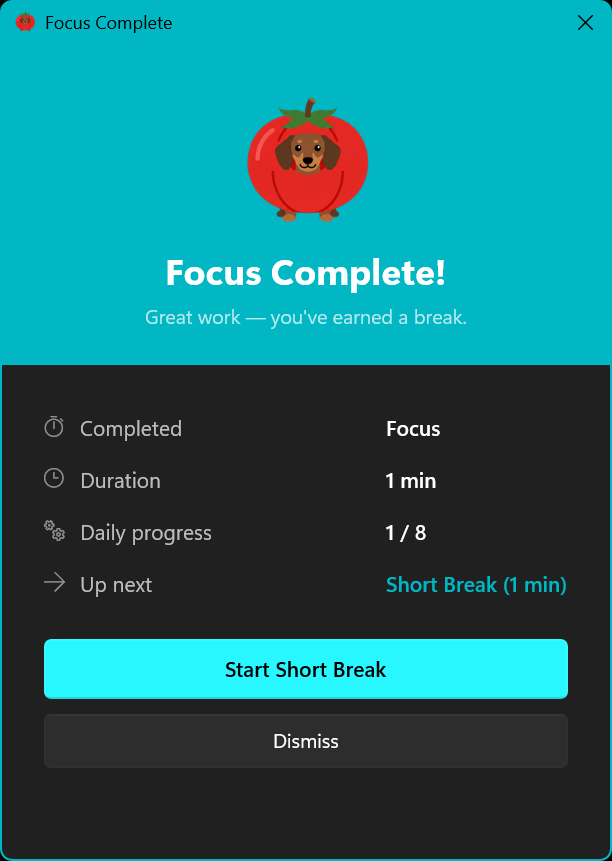
📊 Session StatsA sleek completion popup shows full session statistics without breaking your flow.
🔔 System TrayLives quietly in your system tray — always ready, never intrusive. One click to start, one click to pause.
🎨 Accent ColourFollows your Windows accent colour in real time, so it looks like it belongs on your desktop from day one.
⚙️ Fully ConfigurableWork duration, short and long breaks, daily goals, auto-start behaviour, sound alerts, and more. Set it once, forget it.
▶️ Auto-Start SessionsAutomatically begin the next work or break session so you never lose momentum between intervals.
🔊 Sound AlertsAudible notifications when sessions complete — hear it even when the app is in the background.
🚀 Launch at StartupStart with Windows so the timer is ready the moment you sit down to work.
⚡ Lightweight & NativeBuilt with WinUI 3 and C++ for instant response times and minimal resource usage.

How it works

Start a sessionOpen Pomodoro Hourglass and press start. The timer begins counting down your configured work period.
Stay focusedWork until the timer completes. A sound alert and completion popup let you know when it is time to take a break.
Take breaksShort breaks cycle automatically between work sessions. After a configurable number of sessions, a longer break kicks in.
Track your progressDaily progress dots fill in as you complete sessions. Hit your daily goal and build a consistent focus habit.

See it in action

Pomodoro Hourglass main timer interface
Clean, focused timer interface
Session completion popup with statistics
Session completion popup

Built for people who value their time

  • Developers — stay in flow state while coding with structured work/break intervals.
  • Students — study more effectively with proven pomodoro time management.
  • Writers & creators — protect your creative sessions from distraction and burnout.
  • Remote workers — maintain structure and momentum throughout the workday.
  • Anyone who values focus — a simple, beautiful tool that helps you do your best work.

Technical details

  • Platform: Windows 10 and Windows 11
  • Architecture: x64, x86, and ARM
  • Interface: Modern WinUI 3 with Fluent Design
  • Performance: Native C++ — lightweight and fast
  • Privacy: Runs entirely on your machine. No accounts, no cloud, no tracking.
  • Price: Free

Your time. Beautifully managed.

Download from Microsoft Store