Microsco-PE

Modern Portable Executable Analyzer for Windows

Drag, drop, and explore every detail of any PE file — headers, imports, certificates, entropy, and 20 analysis views.
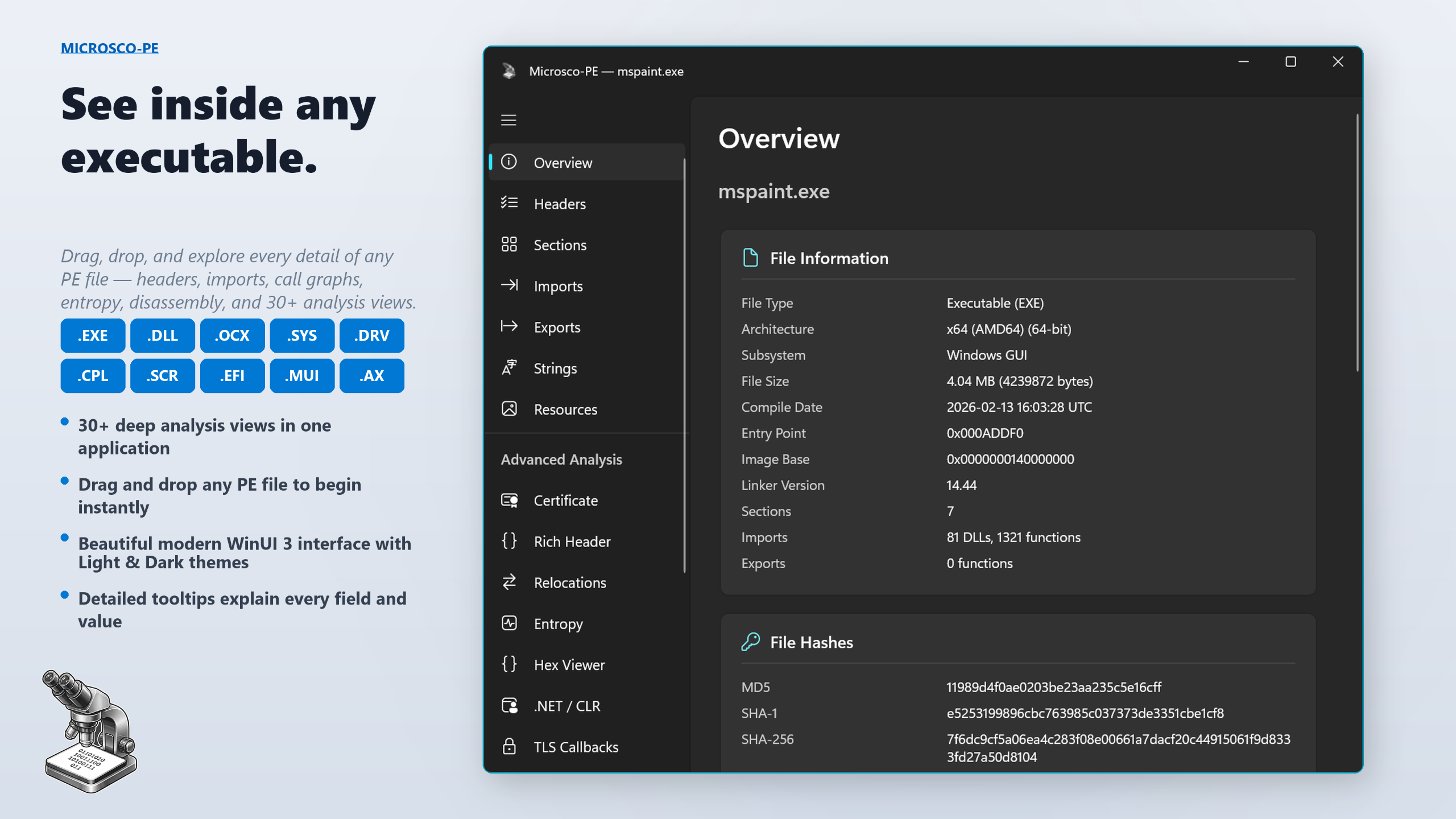
Microsco-PE — Overview dashboard showing file info, hashes, and security features

See inside any executable

Portable Executable files power every application, driver, and library on Windows — but their internals are opaque to most tools. Microsco-PE opens them up. Drop any .exe, .dll, .sys, or .ocx onto the window and instantly explore headers, imports, exports, digital signatures, entropy, embedded resources, and much more.

Whether you are a security researcher, malware analyst, software developer, or simply curious about how Windows binaries work, Microsco-PE gives you deep, instant insight with a stunning modern interface.

20 analysis views, one application

📋 Overview DashboardFile identification, hashes (MD5, SHA-1, SHA-256), security features (ASLR, DEP, CFG, Code Integrity), version info, debug data, and entry point details. Everything at a glance.
📄 Headers & Data DirectoriesDOS Header, File Header, Optional Header, and all Data Directories. Every field has a description column and a detailed tooltip explaining its purpose and valid values.
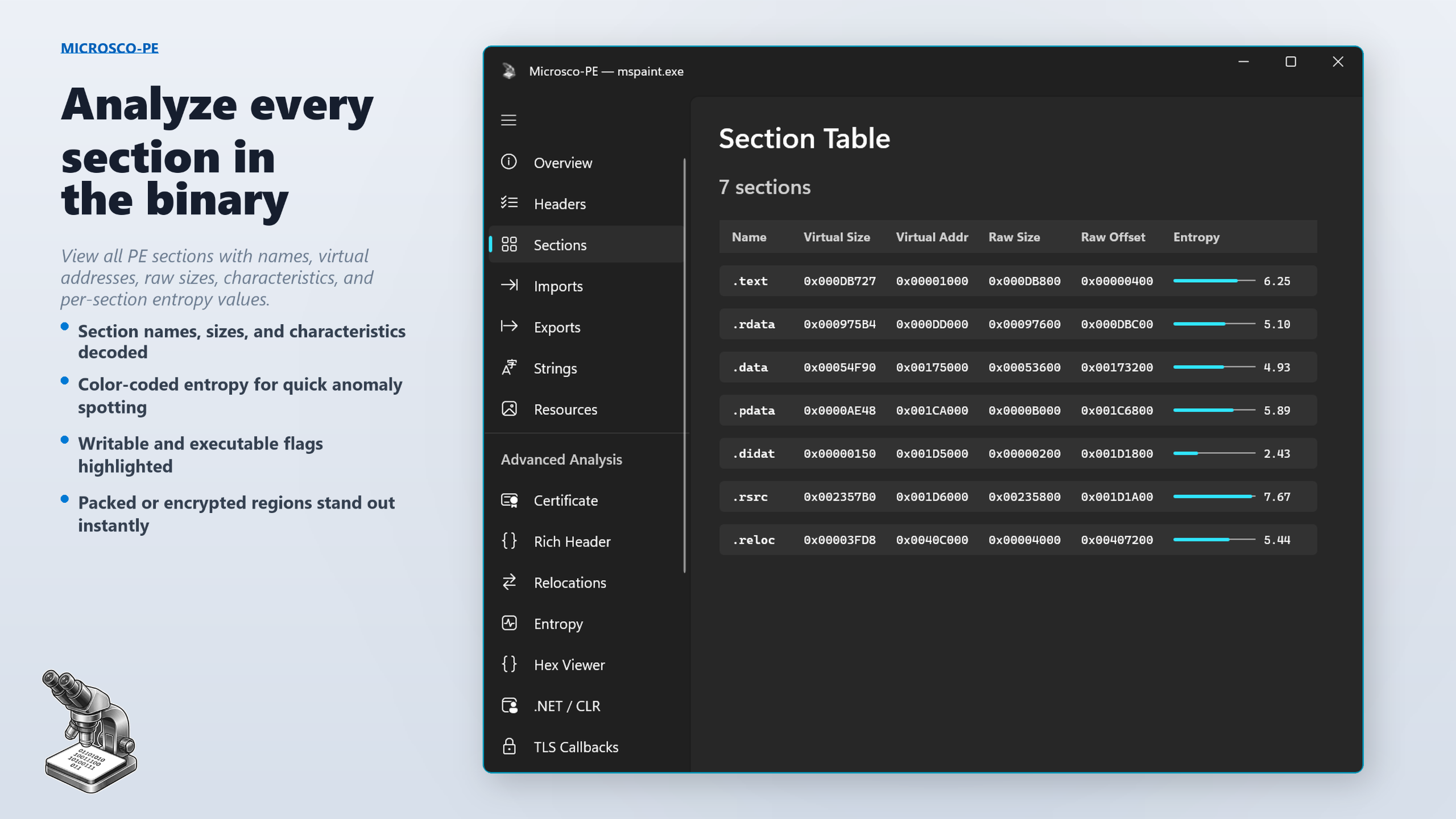
🧩 Sections AnalysisNames, virtual addresses, raw sizes, characteristics, and entropy values. Color-coded entropy indicators help spot packed, encrypted, or suspicious sections instantly.
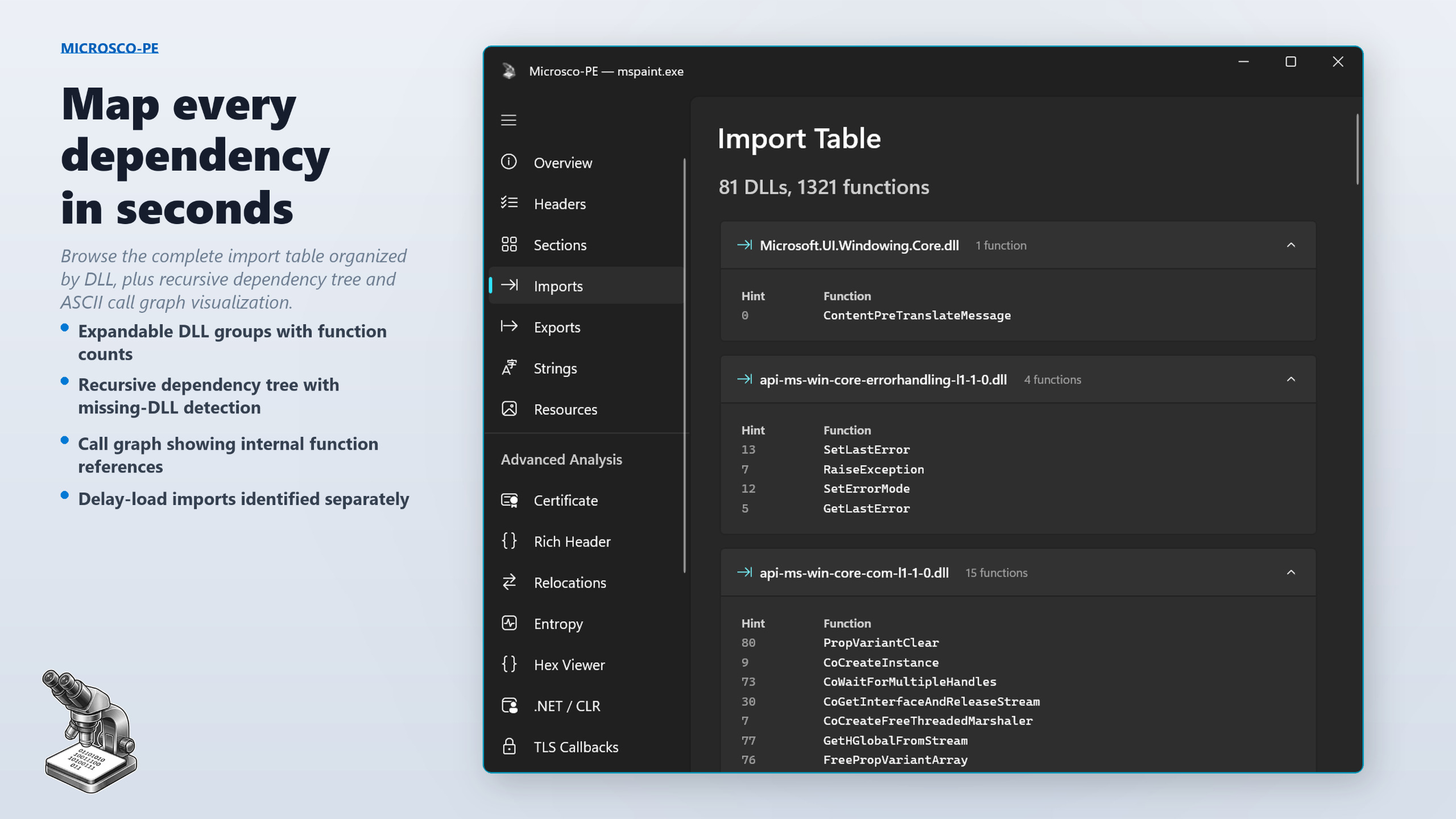
📥 Import Table BrowserComplete import table organized by DLL. Function names, ordinals, hints, expandable groups, function counts, and search-friendly layout.
📤 Export Table BrowserAll exported functions with addresses, ordinals, and names. Quickly identify the public API surface of any DLL or library.
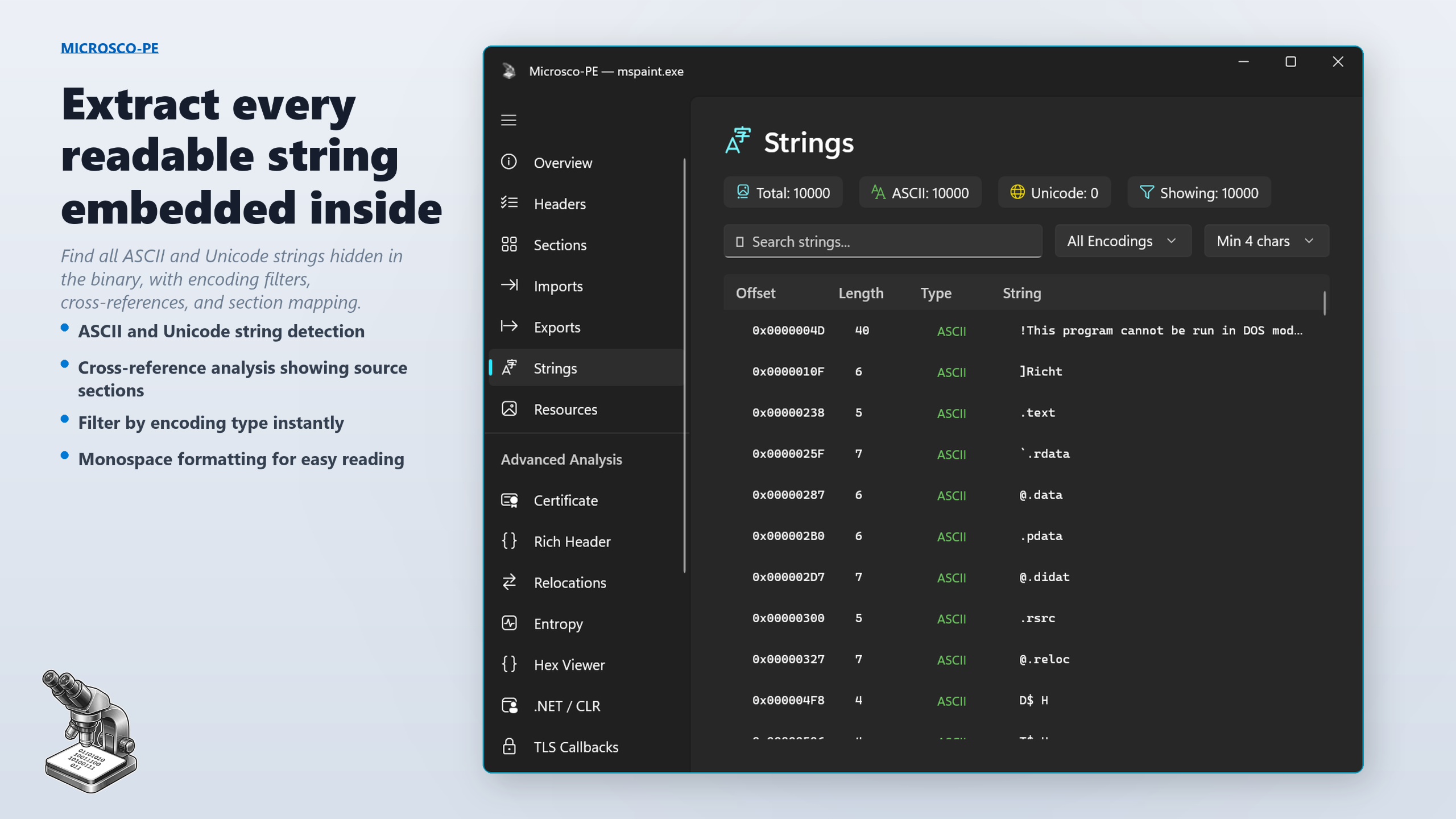
🔡 Strings ExtractionASCII and Unicode strings with encoding filters, minimum length thresholds, search, color-coded type indicators, and monospace formatting.
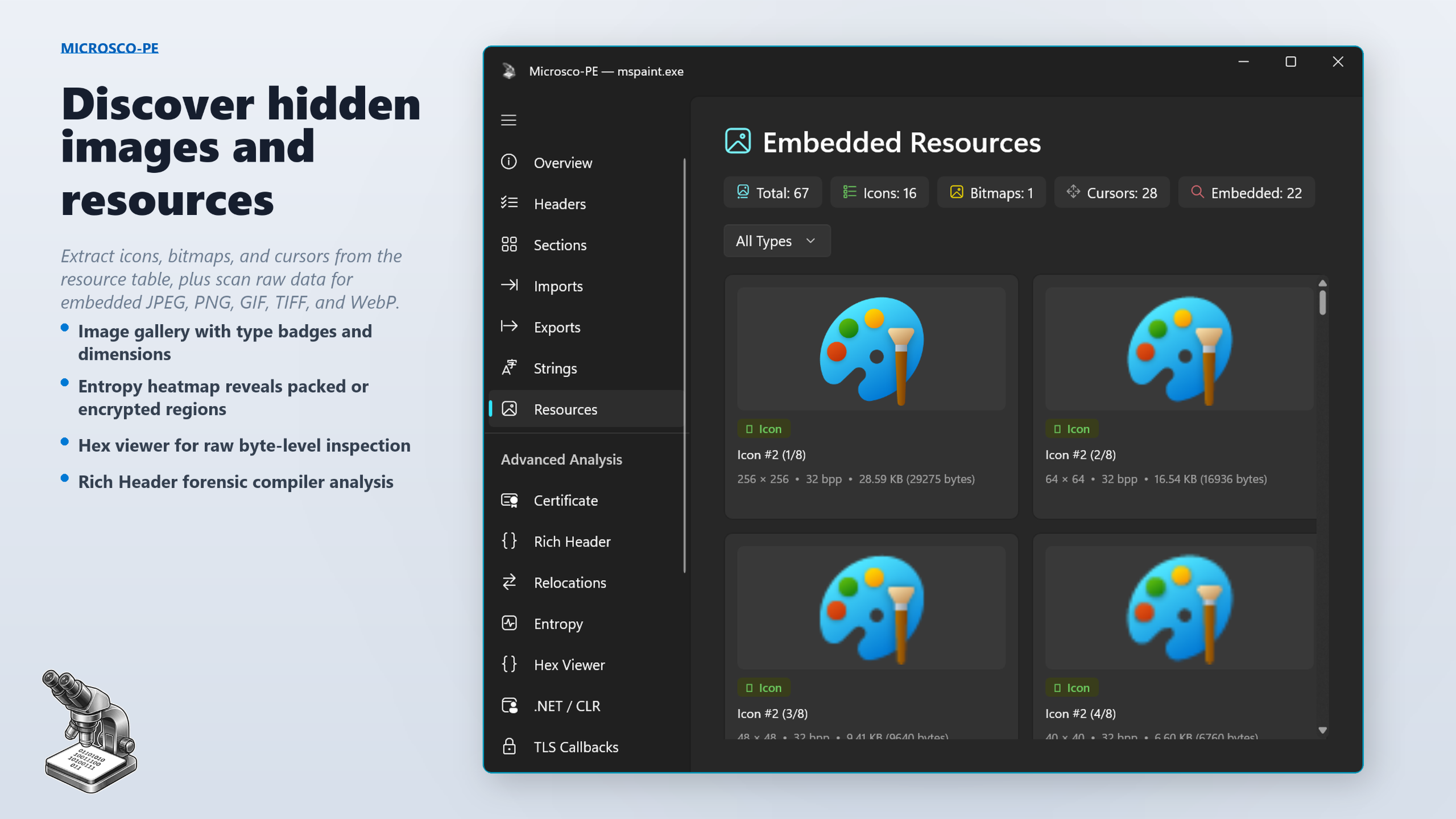
🖼️ Embedded Image GalleryIcons, bitmaps, cursors from the PE resource table, plus embedded JPEG, PNG, GIF, TIFF, and WebP images discovered by raw binary scanning. Beautiful gallery grid.
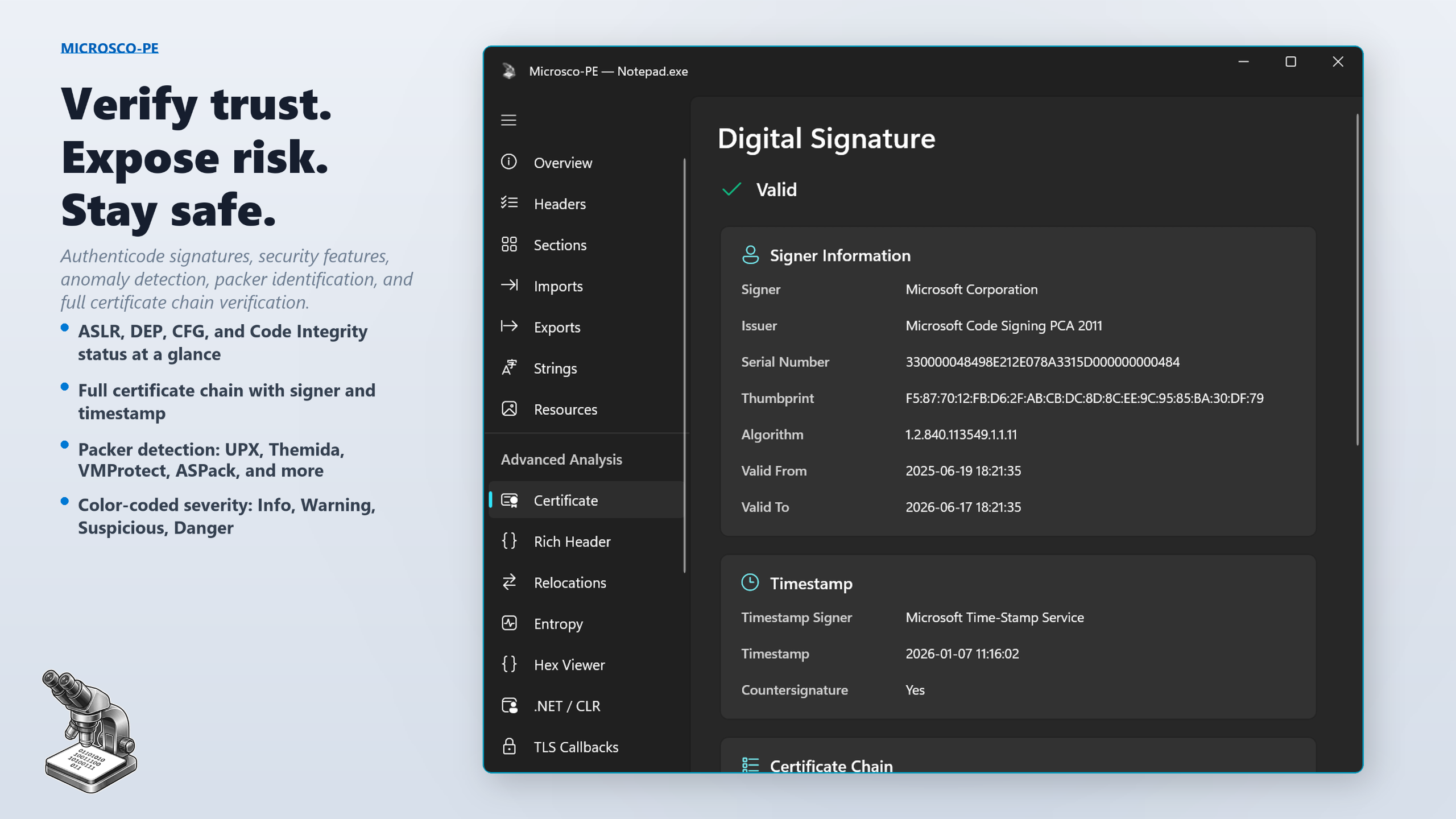
🔒 Certificate & Digital SignatureAuthenticode signature verification: signer name, issuer, serial number, timestamp authority, and full certificate chain. Instantly see valid, unsigned, or broken signatures.
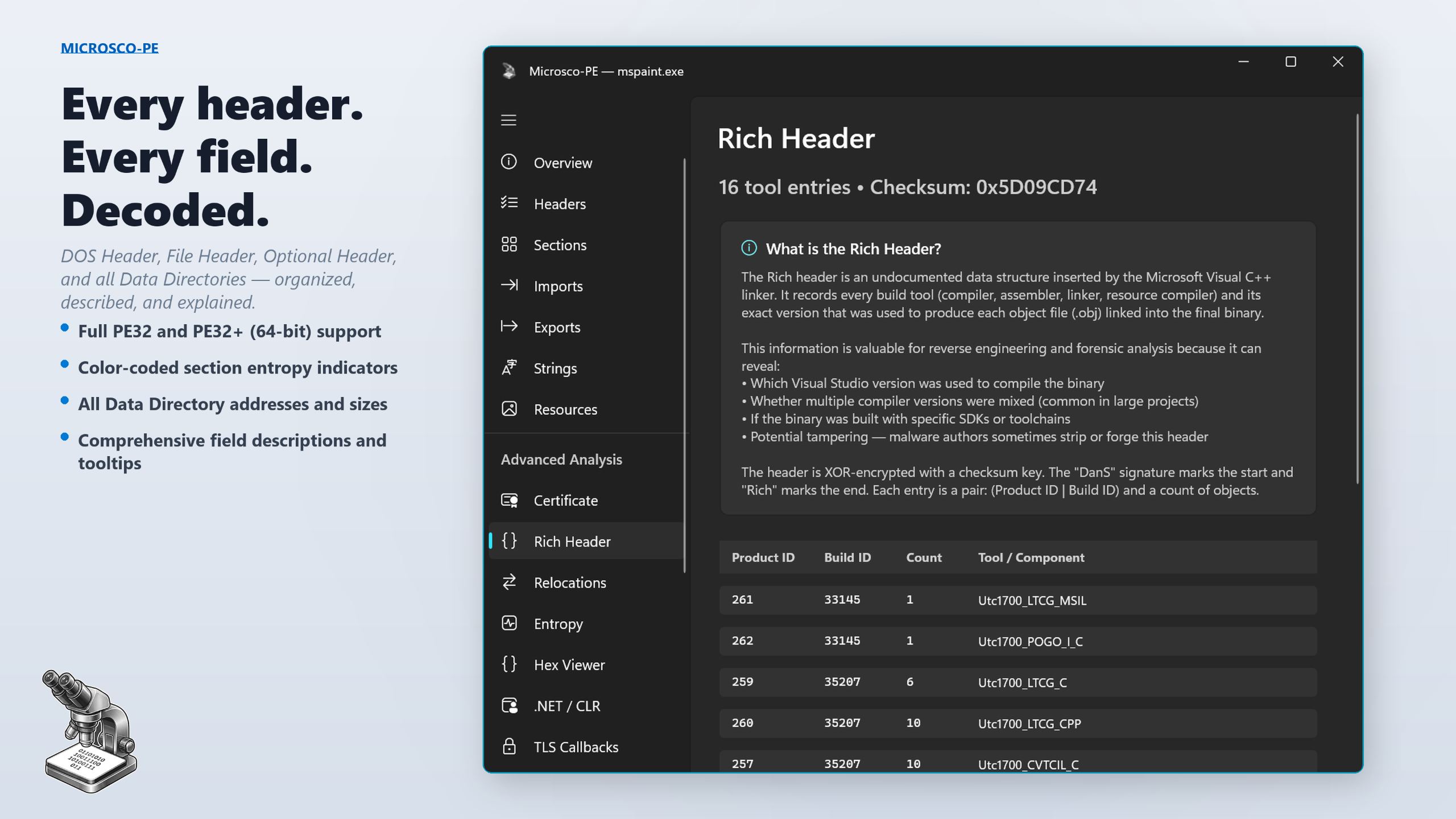
🔍 Rich Header ForensicsDecode the undocumented Microsoft Rich header to reveal exact compiler, linker, assembler, and resource compiler versions used to build the binary.
⚙️ Relocations InspectorBase relocation blocks and entries with types, offsets, and virtual addresses used by the Windows loader for address fixups.
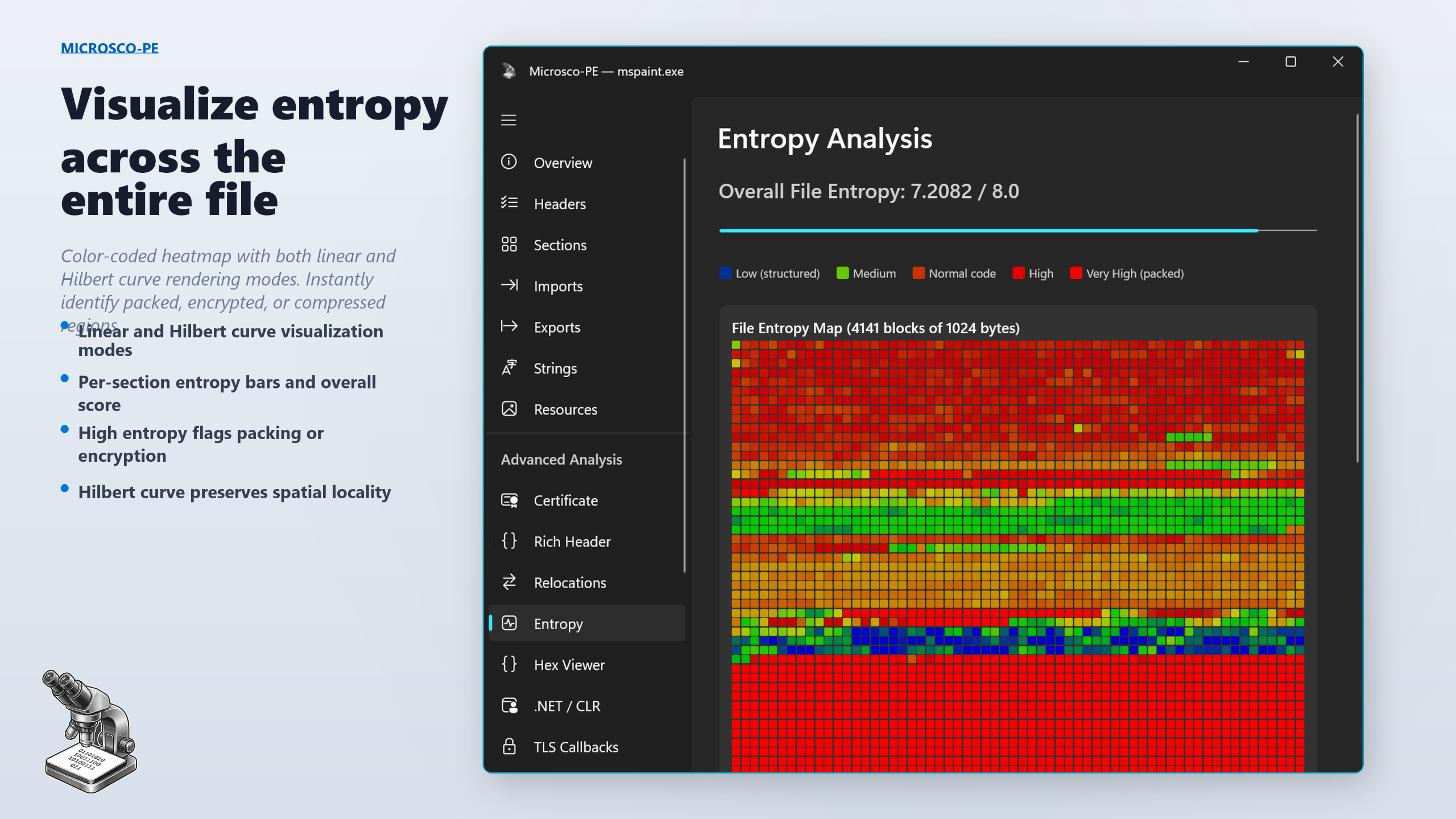
🌡️ Entropy HeatmapColor-coded heatmap of entropy distribution across the entire file. Per-section bars and overall score help identify packed, encrypted, or compressed regions.
💾 Hex ViewerRaw file bytes in classic hex dump format with offset, hexadecimal, and ASCII columns. Section offset table for quick navigation to key areas.
💠 .NET / CLR MetadataCLR header with runtime version, metadata directory, entry point token, and CLR flags. Quickly determine if a binary targets the .NET runtime.
🚨 TLS CallbacksThread Local Storage callback addresses that execute before the main entry point — commonly used by packers and malware for anti-debugging.
🛡️ Load ConfigurationIMAGE_LOAD_CONFIG_DIRECTORY including SEH tables, CFG function tables, guard flags, and security cookie address.
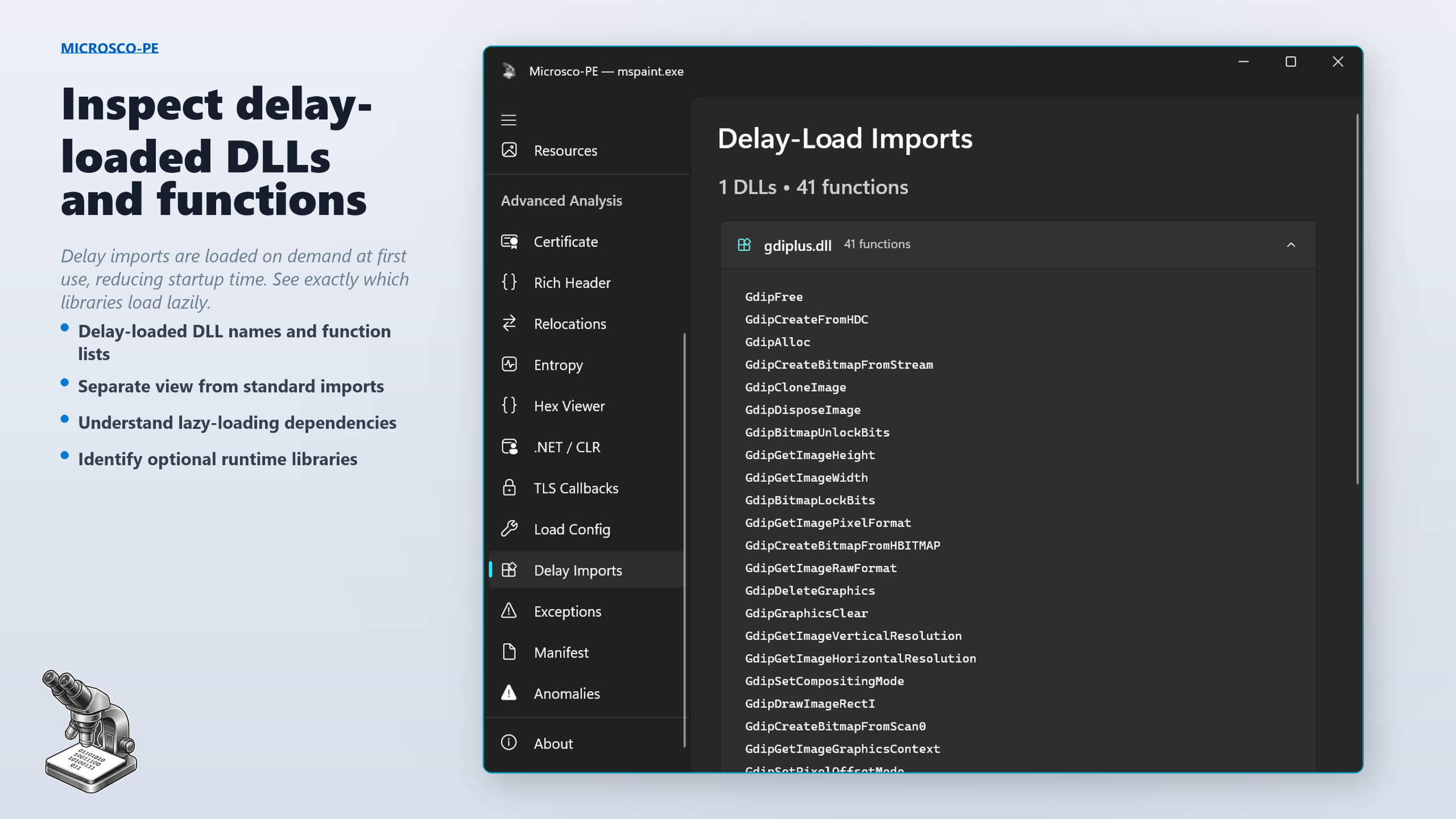
⏳ Delay-Load ImportsDelay-loaded DLLs and functions loaded on-demand at first use, reducing memory footprint and startup time.
⚠️ Exception Handlersx64 RUNTIME_FUNCTION entries from the .pdata section describing exception handling and unwind information for each function.
📜 Manifest ViewerEmbedded application manifest XML with analysis badges for execution level, DPI awareness, long path support, and Windows compatibility.
🚩 Anomaly DetectionAutomated detection of disabled security features, high-entropy sections, writable+executable sections, TLS callbacks, suspicious section names, and invalid signatures. Color-coded severity: Info, Warning, Suspicious, Danger.
📁 Drag & Drop + BrowseDrop any PE file onto the window at any time — even while viewing another file. Supports .exe, .dll, .ocx, .sys, .drv, .cpl, .scr, .efi, .mui, .tsp, and .ax.

How it works

Open a fileDrag and drop any PE file onto the window, or click Browse. Microsco-PE accepts .exe, .dll, .ocx, .sys, .drv, .cpl, .scr, .efi, .mui, .tsp, and .ax files.
Explore every detailThe navigation sidebar gives instant access to all 20 analysis views. Jump between headers, imports, entropy, certificates, and more with a single click.
Learn as you goEvery data field, column header, badge, and metric includes a detailed tooltip explaining what the value means, why it matters, and how to interpret it.
Spot anomaliesThe automated anomaly scanner flags suspicious characteristics — disabled security features, high entropy, writable+executable sections, and more — with color-coded severity levels.

See it in action

Headers and Rich Header analysis
Rich Header forensics
Sections analysis with entropy indicators
Sections with entropy indicators
Import table browser
Digital signature and certificate verification
Certificate verification
Embedded image gallery and resources
Embedded image gallery
Strings extraction
Strings extraction
Entropy heatmap visualization
Entropy heatmap
Delay-load imports
Delay-load imports

Built for people who take binaries seriously

  • Security researchers — verify signatures, inspect anomalies, and assess a binary’s security posture in seconds.
  • Malware analysts — Rich header forensics, TLS callbacks, entropy heatmaps, and anomaly detection help triage samples fast.
  • Software developers — check your own builds for correct imports, exports, sections, and security flags before shipping.
  • Reverse engineers — every header field decoded, every data directory mapped, every string extracted.
  • Students & educators — detailed tooltips on every field make Microsco-PE the best way to learn the PE format.

Supported file types

  • .exe — Windows Executables
  • .dll — Dynamic Link Libraries
  • .ocx — ActiveX / OLE Control Extensions
  • .sys — System & Kernel Drivers
  • .drv — Device Drivers
  • .cpl — Control Panel Applets
  • .scr — Screensavers
  • .efi — EFI Applications & Drivers
  • .mui — Multilingual User Interface Resources
  • .tsp — Telephony Service Providers
  • .ax — DirectShow Filters

Technical details

  • Platform: Windows 10 and Windows 11
  • Architecture: x64
  • Interface: Modern WinUI 3 with Fluent Design
  • Performance: Native C++ — files parse in milliseconds
  • I/O: Memory-mapped file I/O for efficient large file handling
  • PE support: Full 32-bit (PE32) and 64-bit (PE32+)
  • Signing: Authenticode signature verification via WinVerifyTrust
  • Hashing: BCrypt-based MD5, SHA-1, and SHA-256
  • Privacy: Runs entirely on your machine. No uploads, no cloud, no tracking.
  • Dependencies: Zero external dependencies — pure Windows SDK

Stop guessing. Start analyzing.

Download from Microsoft Store