Corrupt Image Checker
Supported formats: JPEG, HEIC, PSD, PNG, WebP, and JPEG XR
Scan thousands of photos for hidden corruption and take action before a single memory is lost.

The problem is invisible
Corrupt photos rarely announce themselves. They hide in backups, lurk on ageing drives, and surface only when you need them most—a client delivery, a family slideshow, a portfolio review. By then it is too late.
Corrupt Image Checker scans your libraries in minutes, flags every problematic file, and gives you the tools to act immediately. It supports JPEG, HEIC, PSD, PNG, WebP, and JPEG XR—the formats real photographers use.
Two kinds of corruption, one clear report
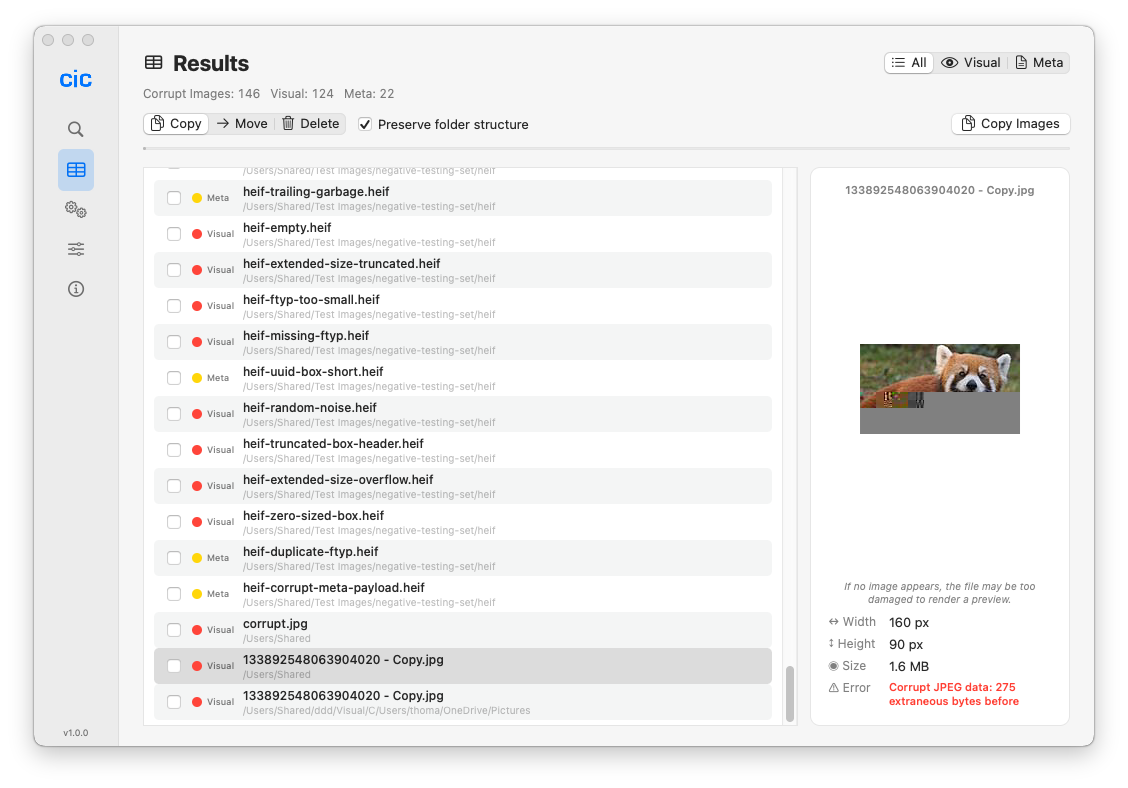
- Visual corruption — rendering errors, glitches, grey bands, or files that refuse to open. These are the critical ones.
- Metadata corruption — damaged EXIF, missing colour profiles, or non-conformant encoding. Less urgent, but a warning sign worth knowing about.
Features that earn their place
⚡ Multi-threaded scanningUses every CPU core. Thousands of images in minutes, not hours.
📁 No size limitsMillions of images across nested folders. Scan as often as you like.
🔍 Instant previewsThumbnail every suspect image before you decide what to do with it.
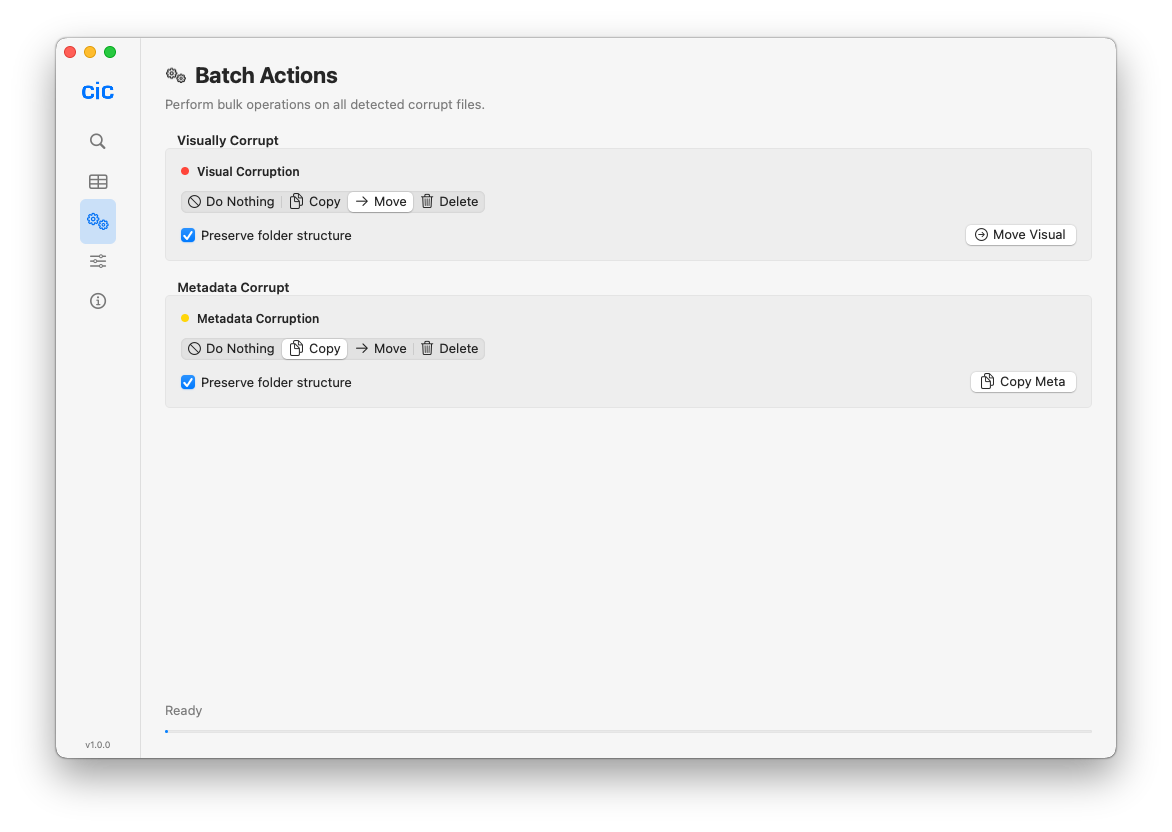
🎯 Batch actionsCopy, move, or delete corrupt files in one pass. Preserve folder structure if you need to.
📊 CSV exportDrop results into Numbers or Excel for audits, client reports, or long-term record keeping.
🔄 Recursive scanningPoint it at a root folder and it dives through every subfolder automatically.
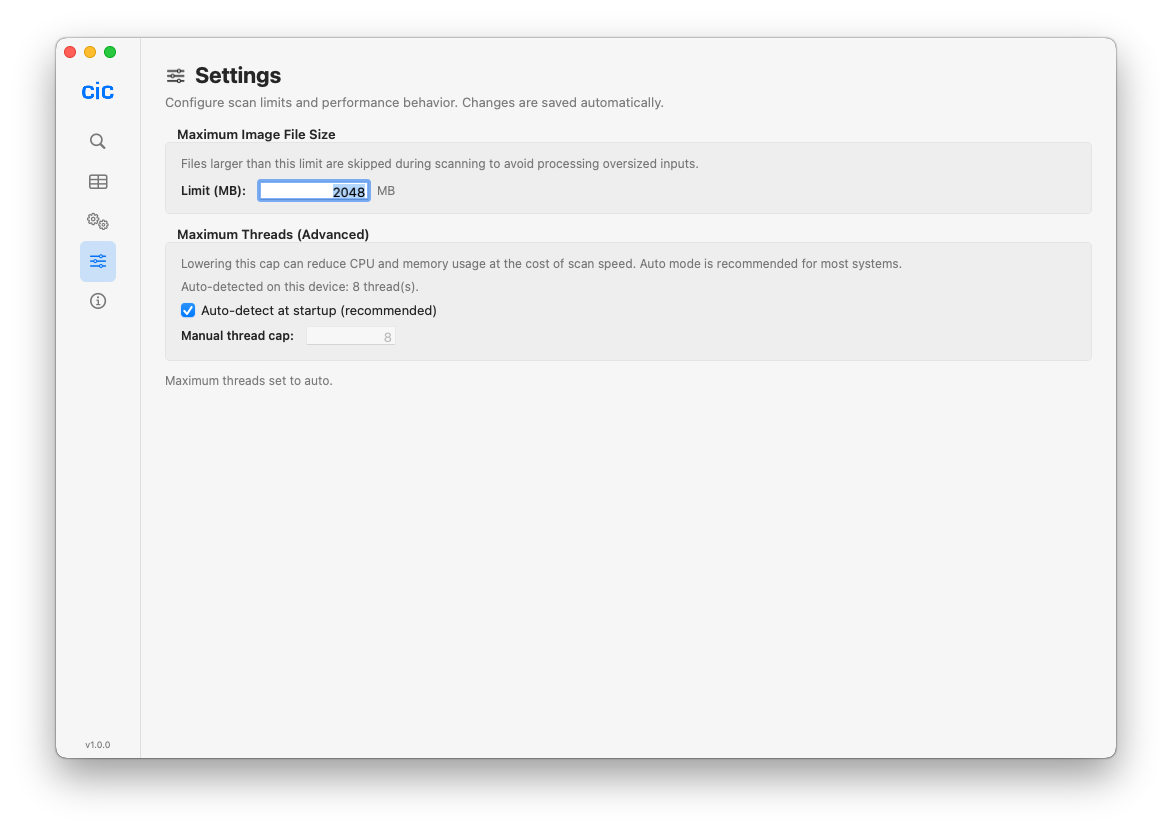
⚙️ Configurable limitsSet file size thresholds and per-session settings that persist between scans.
🎨 Native macOS designBuilt with AppKit. Fast, lightweight, and right at home on your Mac.
One purchase, unlimited use. Scan as many times as you want, for as long as you want. No subscriptions, no limits.
How it works
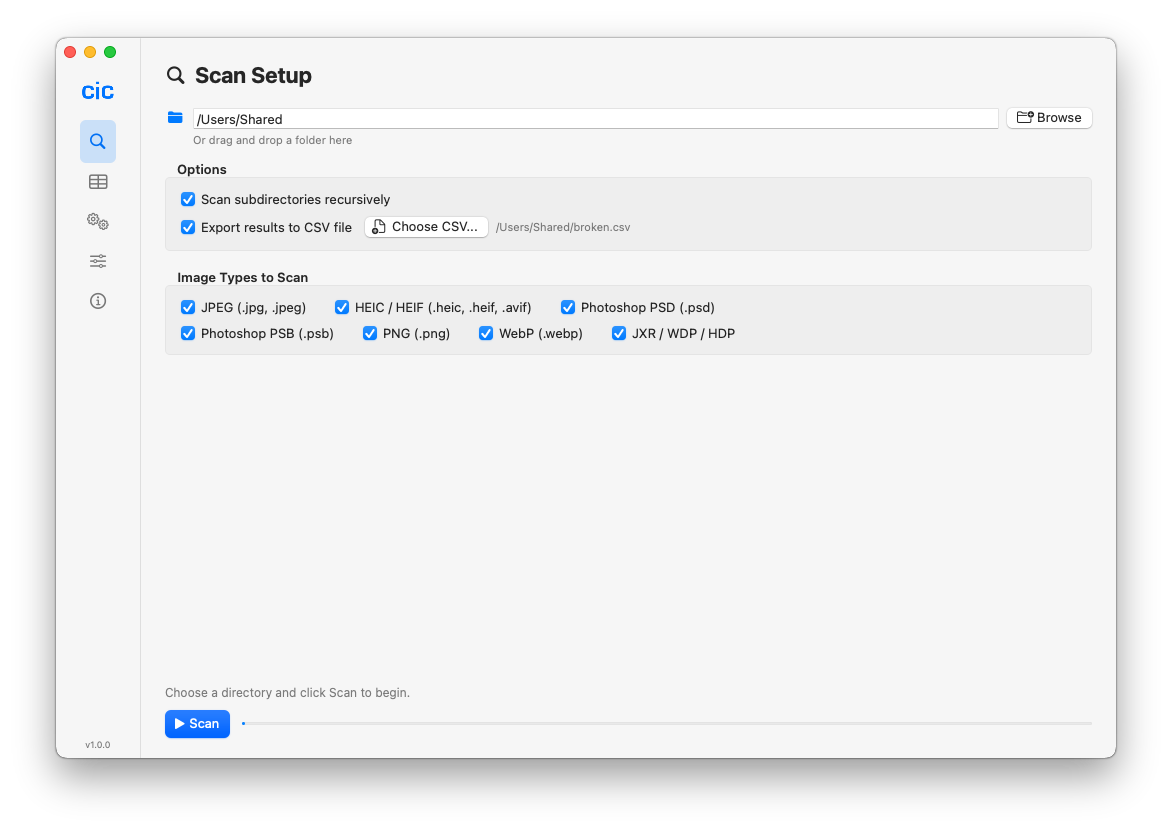
Choose your folderSelect the directory containing your images. Enable subfolder scanning for a complete library audit.
Run the scanPick the formats you want to check and press Begin. The app distributes work across every available core.
Review resultsEvery corrupt file appears in a clear list, grouped by corruption type. Preview thumbnails, filter by severity, and drill into details.
Take actionSelect files and choose: copy to a safe location, move to quarantine, delete permanently, or export the list. Folder structure is preserved if you want it.
See it in action
Built for people who care about their images
- Photographers — verify your entire portfolio is intact after every shoot and backup cycle.
- Content creators — protect asset libraries that power your business.
- Backup managers — validate archives before you stake anything on them.
- IT professionals — audit shared drives and network storage at scale.
- Everyone else — peace of mind that your family photos are safe.
Technical details
- Platform: macOS
- Distribution: Mac App Store
- Interface: Native AppKit
- Formats: JPEG, HEIC, PSD, PNG, WebP, and JPEG XR
- Performance: Automatic multi-core parallel processing
- Privacy: Runs entirely on your Mac. No uploads, no cloud, no tracking.
- Export: CSV compatible with Numbers, Excel, and other spreadsheet tools
Stop wondering. Start knowing.
Support
Email: support@barkersoftware.com